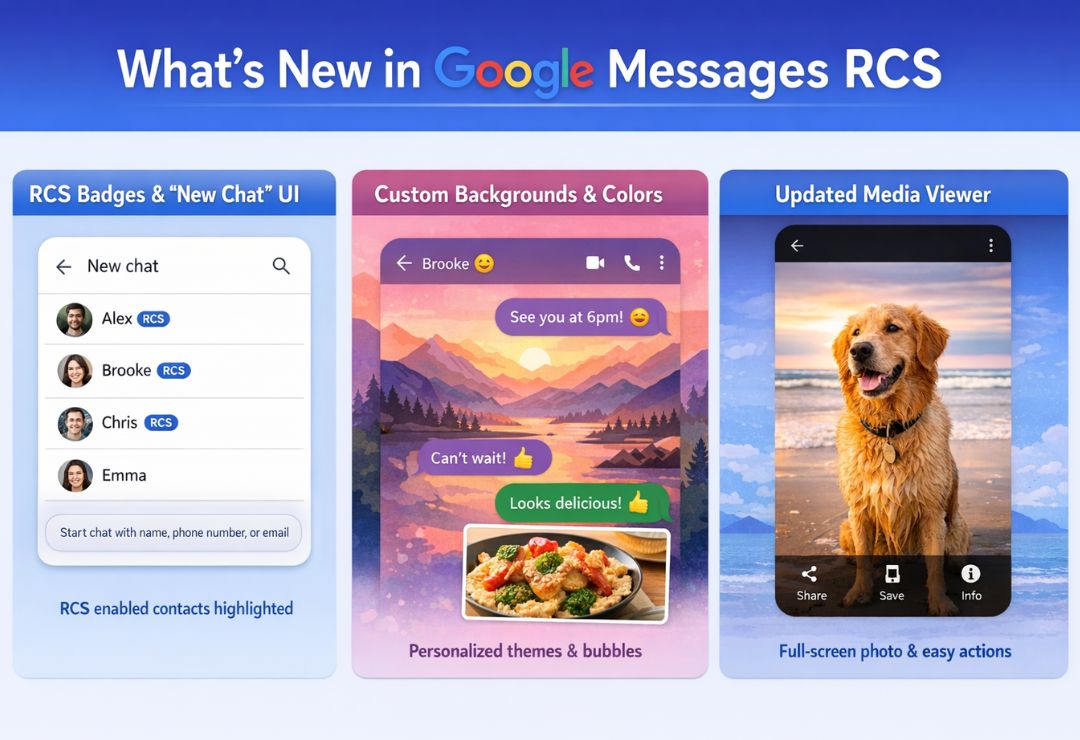
Google Messages has long been the go-to messaging app for Android users, offering a seamless blend of SMS and advanced features. With the latest Google Messages RCS Chat Update, the app takes a significant leap forward in enhancing communication. Rich Communication Services (RCS) transforms traditional texting into a richer, more interactive experience, rivaling popular apps like WhatsApp and iMessage.
This update matters because it addresses user demands for better cross-platform compatibility, especially with iOS devices now supporting RCS since 2024. As we close out 2025, the Google Messages Update brings refinements that make everyday chatting faster, more secure, and enjoyable. Whether you’re sharing high-res photos or coordinating group plans, these changes elevate RCS Messaging on Android to new heights.
What Is Google Messages RCS Chat?
RCS, or Rich Communication Services, is the next evolution of mobile messaging. Unlike basic SMS, which limits users to plain text and low-quality media, RCS enables features like high-resolution image sharing, group chats, and real-time typing indicators. Google RCS Chat integrates this technology directly into the Google Messages app, making it the default for Android users.
The purpose of RCS is to create a universal standard for messaging across carriers and devices. It bridges the gap between Android and other platforms, ensuring that conversations feel modern and engaging. With the Google Messages RCS Chat Update, users get access to these capabilities without needing third-party apps.
In essence, Google Messages RCS Chat turns your phone into a powerful communication hub, supporting everything from casual texts to collaborative discussions.
What’s New in the Google Messages RCS Chat Update?
The 2025 Google Messages Update introduces several exciting enhancements to RCS Chat Features. Drawing from recent rollouts, including those in December 2025, the app now includes @mentions in group RCS chats for easier addressing of specific participants. This is particularly useful in busy threads where clarity is key.
Camera tweaks allow for smoother integration when capturing and sharing media directly from chats. Additionally, a redesigned read receipts system provides more intuitive visual cues, helping users track message status at a glance. The update also incorporates MLS encryption, a new protocol for multi-device secure messaging, building on existing end-to-end protections.
These changes reflect Google’s ongoing commitment to refining Android Messaging Update, addressing user feedback on reliability and usability.
Key Features of the Latest RCS Chat Update
The Google Messages RCS Chat Update packs in several standout features that enhance daily interactions.
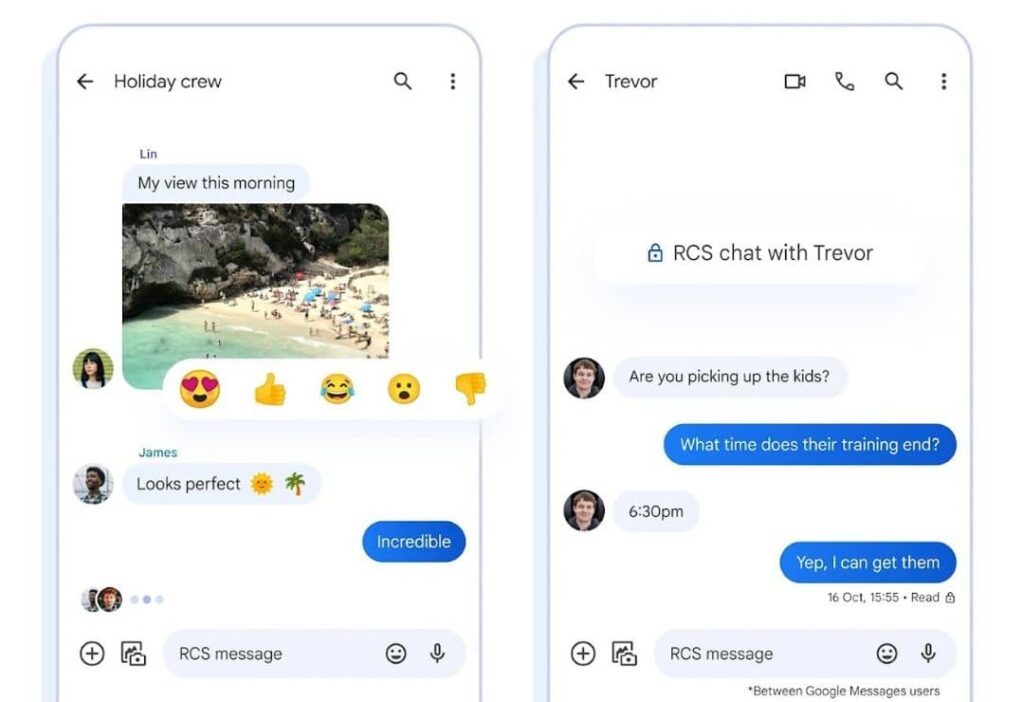
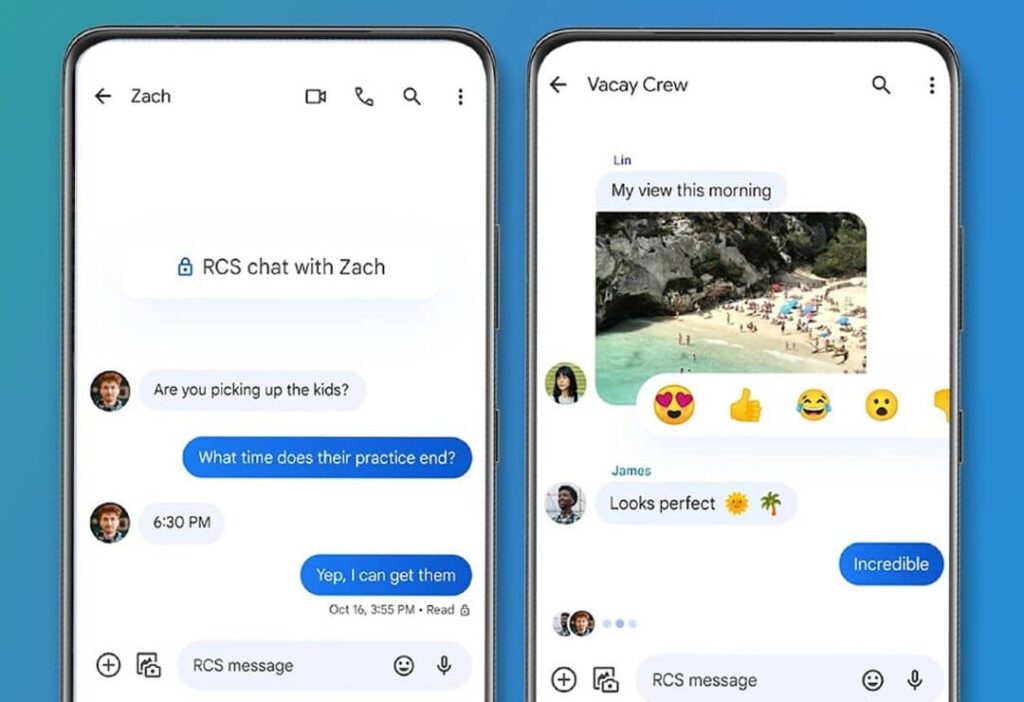
- Read Receipts and Typing Indicators: Now redesigned for better visibility, these let you know when messages are delivered, read, or when someone is typing. The subtle animations make conversations feel more dynamic.
- High-Quality Media Sharing: Share photos and videos in full resolution without compression. This is a game-changer for RCS Messaging on Android, ensuring your memories look sharp.
- End-to-End Encryption: Default for one-on-one RCS chats, this protects your privacy by encrypting messages from sender to receiver. Group chats are seeing phased rollouts of advanced encryption like MLS.
- Group Chat Improvements: Beyond @mentions, users can now pin messages, create polls, and manage larger groups with ease. This makes coordinating events simpler.
- Message Reactions and Replies: React with emojis or reply inline to specific messages, keeping threads organized and fun.
These RCS Chat Features position Google Messages as a robust alternative to other messaging platforms.
How the RCS Chat Update Improves User Experience
Speed is a hallmark of the latest Google Messages Update. With optimized RCS protocols, messages send faster, even on spotty networks, reducing frustrating delays.
Reliability has improved too, with fewer downgrades to SMS when RCS isn’t available. Usability shines through in the intuitive interface, where features like voice-to-text and smart replies integrate seamlessly.
Overall, the Google RCS Chat Update makes messaging more enjoyable, turning routine texts into engaging exchanges that save time and reduce miscommunication.
Compatibility and Availability of Google Messages RCS Chat
The Google Messages RCS Chat Update is widely available on Android devices running version 10 or higher. Most major carriers in the US, Europe, and Asia support RCS, including Verizon, AT&T, and T-Mobile.
For global users, availability varies by region, but Google’s partnerships have expanded coverage significantly in 2025. iOS compatibility, enabled via Apple’s RCS adoption, allows cross-platform features like typing indicators, though end-to-end encryption remains Android-centric for now.
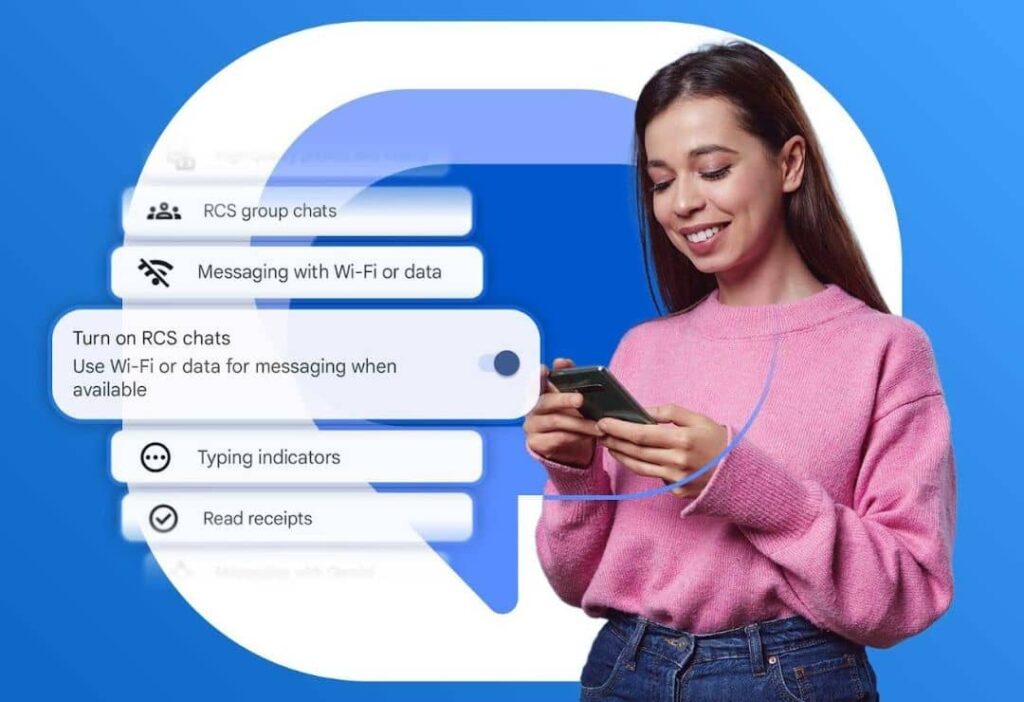
To check compatibility, open Google Messages, go to settings, and enable RCS chats. If unsupported, the app falls back to SMS gracefully.
Privacy and Security in Google Messages RCS Chat
Privacy is paramount in the Google Messages RCS Chat Update. End-to-end encryption ensures that only you and the recipient can read messages, with no access for Google or carriers.
Data protection extends to media files and location shares, all encrypted in transit. The introduction of MLS encryption in 2025 adds support for secure group and multi-device syncing, addressing previous limitations.
Users can report spam or block contacts easily, further enhancing security in RCS Messaging on Android.
Challenges and Limitations of RCS Messaging
Despite advancements, RCS still depends on carrier support. In some areas, inconsistent implementation leads to downgrades to SMS, disrupting features.
iOS compatibility, while improved, lacks full parity—end-to-end encryption isn’t cross-platform yet, and some features like reactions may render differently.
Ongoing issues in 2025 include occasional bugs post-updates, as reported by users, requiring troubleshooting like app restarts or carrier verifications.
Future of Google Messages and RCS Chat (2025 and Beyond)
Looking ahead, the Android Messaging Update will likely integrate more AI-driven features, such as smart summarization of long threads or predictive replies powered by Gemini.
By 2026, expect broader adoption of MLS encryption across groups and devices, making RCS even more secure. Cross-platform harmony with iOS could evolve, potentially including shared encryption standards.
Trends point to RCS for Business expanding, with enhanced tools for customer interactions. Google Messages RCS Chat Update will continue evolving, focusing on seamless, intelligent communication.
FAQs About Google Messages RCS Chat Update
What is the latest Google Messages RCS Chat Update?
The 2025 update includes @mentions in groups, camera improvements, redesigned read receipts, and MLS encryption for better security.
How do I enable RCS Chat Features in Google Messages?
Open the app, tap your profile, go to Messages settings, and toggle RCS chats. Verify your number if prompted.
Is RCS Messaging on Android compatible with iPhones?
Yes, since iOS 18, iPhones support basic RCS, allowing high-quality media and indicators, but advanced encryption is limited.
What are the privacy benefits of the Google RCS Chat Update?
It offers default end-to-end encryption for one-on-one chats and introduces MLS for groups, ensuring data stays private.
Why does my Google Messages Update sometimes revert to SMS?
This happens due to carrier issues or poor connectivity. Check settings or contact your carrier for RCS support.
Conclusion
The Google Messages RCS Chat Update represents a pivotal step in modernizing Android messaging. With enhanced RCS Chat Features like improved encryption and group tools, it delivers a superior user experience. As Google continues to refine Rich Communication Services, expect even more innovations in the coming years. Stay updated and enjoy the benefits of this powerful Google RCS Chat evolution today.