Google Pixel updates keep your phone fresh, secure, and full of new tools. In December 2025, the latest Google Pixel update brought Android 16 QPR2 along with important security fixes.
These updates matter because Pixel phones get new features and protection faster than most Android devices. Staying current helps your phone run better and stay safe.
What Is a Google Pixel Update?
A Google Pixel update includes different types of changes to your phone’s software.
Monthly security patches fix safety issues and small bugs. Quarterly releases, like December’s Android 16 QPR2, add bigger features and improvements.
Major OS upgrades, such as moving to a new Android version, happen once or twice a year now. Pixel phones promise up to seven years of support, so you get updates for a long time.
These Pixel software updates come straight from Google, making them quick and reliable.
Why Google Pixel Updates Are Important

Keeping your Pixel updated brings many benefits.
Updates improve speed and battery life by fixing problems and adding smarter power use. They protect against new threats with the latest Pixel security patch.
New Google Pixel features make your phone more fun and helpful. Updates also ensure apps work well and support the newest tech.
Skipping updates can leave your phone slower or less safe over time.
New Features in the Latest Google Pixel Update
The December 2025 Google Pixel update introduced several helpful additions.
AI-powered notification summaries shorten long group chats or message threads. A new dark theme automatically darkens apps that don’t support dark mode.
Custom icon shapes and themed icons let you personalize your home screen more. Stronger parental controls make it easier to manage kids’ devices.
Other changes include better Bluetooth connections, smoother picture-in-picture mode, and fixes for display issues on newer models like the Pixel 10 series.
These Pixel OS improvements focus on daily use and customization.
How to Install Google Pixel Updates
Installing a Google Pixel update is simple and safe.
- Most updates arrive over-the-air (OTA). Go to Settings > System > System update to check and download.
- Your phone will restart to finish the installation. Keep a good Wi-Fi connection and at least 50% battery.
- For manual Pixel update installation, download factory images or OTA files from Google’s site if you need it faster.
- Always back up important data before big updates.
Google Pixel Security Patch Updates
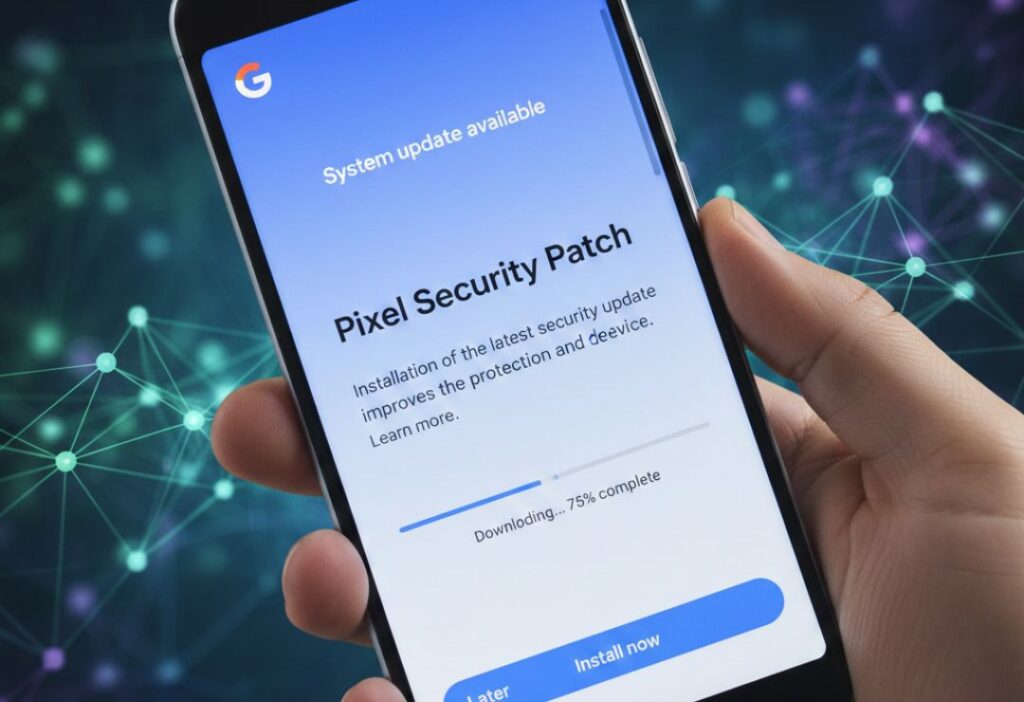
Pixel security patch updates come every month to keep your phone protected.
- The December 2025 patch fixed over 100 vulnerabilities, from high to critical levels. It closed gaps in the system, kernel, and other parts.
- These patches stop hackers from accessing your data or controlling your device. Google shares details in bulletins so you know what’s fixed.
- Regular patches are one reason Pixel phones stay secure longer.
Troubleshooting Common Update Issues
Sometimes updates don’t go smoothly.
- If download fails, check your internet or clear cache in Settings > Apps > System update.
- Battery drain after update often settles in a day or two. Restart or factory reset if needed.
- Touch or display problems on Pixel 10 got fixed in a follow-up patch mid-December.
- Check forums or support if storage is low – free up space first.
Benefits of Google Pixel Updates
Regular updates offer clear advantages:
- Better performance with faster apps and smoother multitasking
- Stronger security against new threats
- New features like AI tools and customization options
- Longer battery life through optimizations
- Full support for latest apps and services
- These keep your Pixel feeling new for years.
Real-World Examples of Google Pixel Update Enhancements
Many users noticed real improvements after the December update.
- One common report: battery now respects the 80% charge limit properly, helping extend phone life.
- Group chat users love AI summaries that catch up on long threads quickly.
- Parents find the new controls easier to set up directly in Settings.
- Display freezes on Pixel 10 stopped for most after the patch.
- Bluetooth headphones connect more reliably now.
- These examples show how updates solve everyday problems.
Challenges and Concerns with Updates
Updates aren’t always perfect.
- Big ones like QPR2 can take time to roll out to everyone. Some features only work on newer models.
- Temporary battery drain or heat happens while the phone adjusts.
- Storage needs can pause downloads on full devices.
- A mid-month patch fixed touch issues on Pixel 10, showing Google responds fast.
- Overall, benefits outweigh these small hurdles.
Future of Google Pixel Updates (2025 and Beyond)

Google plans more frequent updates in coming years.
- Expect deeper AI integration, like smarter assistants and photo tools. Better privacy controls and sustainability features may arrive.
- Android will have multiple big releases per year for faster innovation.
- Pixel phones will keep getting exclusive features first.
- Long support promises mean even older models stay useful.
FAQs About Google Pixel Update
What is the latest Google Pixel update in December 2025?
It’s Android 16 QPR2 with new customization, AI notifications, parental controls, and many bug fixes.
How do I check for a Pixel software update?
Go to Settings > System > System update > Check for update.
Are Google Pixel security patches important?
Yes, they fix critical vulnerabilities and protect your data every month.
What new Google Pixel features came in recent updates?
AI notification summaries, expanded dark theme, custom icons, and better parental controls.
How long do Pixel phones get Android updates for?
Up to seven years of OS upgrades and security patches on newer models.
Conclusion
The latest Google Pixel update in December 2025 shows why these phones stand out. With strong security, useful new features, and ongoing improvements, updates keep your device safe and capable.
Check for the newest Pixel software update today to enjoy better performance and tools. Staying updated is the easiest way to get the most from your Google Pixel.