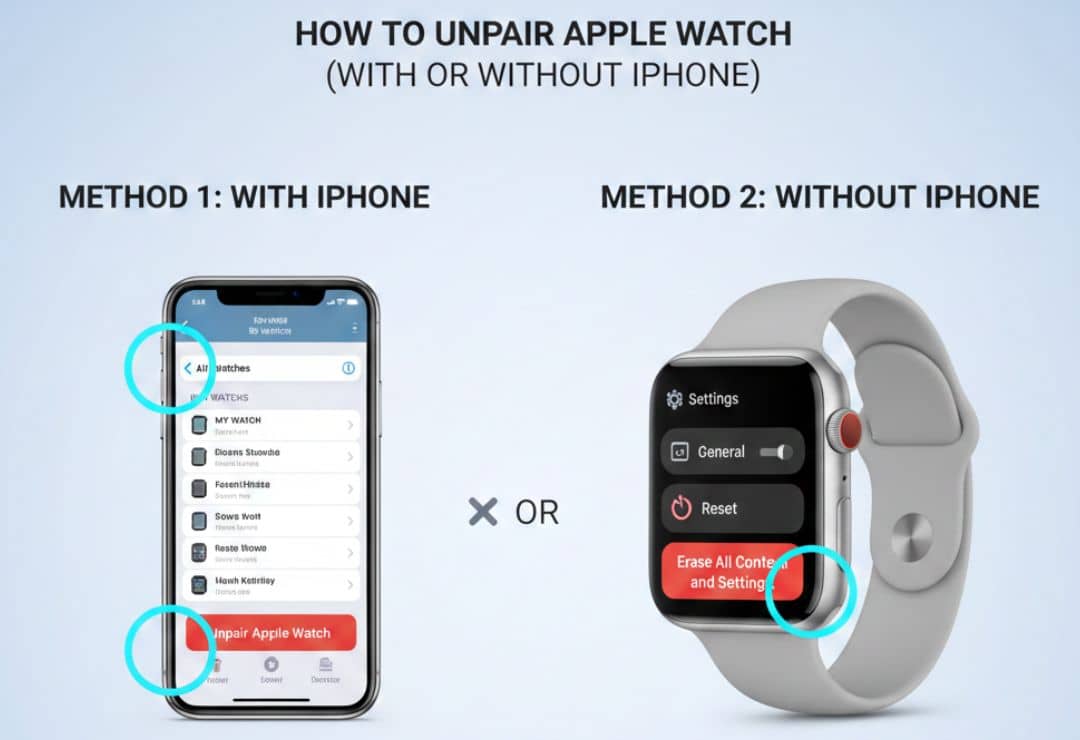
Unpairing your Apple Watch means breaking the connection with your iPhone. It also erases everything on the watch. This makes the watch like new again.
You should know how to unpair Apple Watch before selling it or giving it away. It removes your personal information. It also turns off a safety feature called Activation Lock. This lets the new owner set it up easily.
If you want to reset Apple Watch for problems like it not connecting to iPhone, unpairing is the best way. This guide is simple. It is for beginners. We use easy steps.
As of January 2026, the latest models are Apple Watch Series 11, SE 3, and Ultra 3. They all run watchOS 26.2.
What Does Unpairing an Apple Watch Mean?
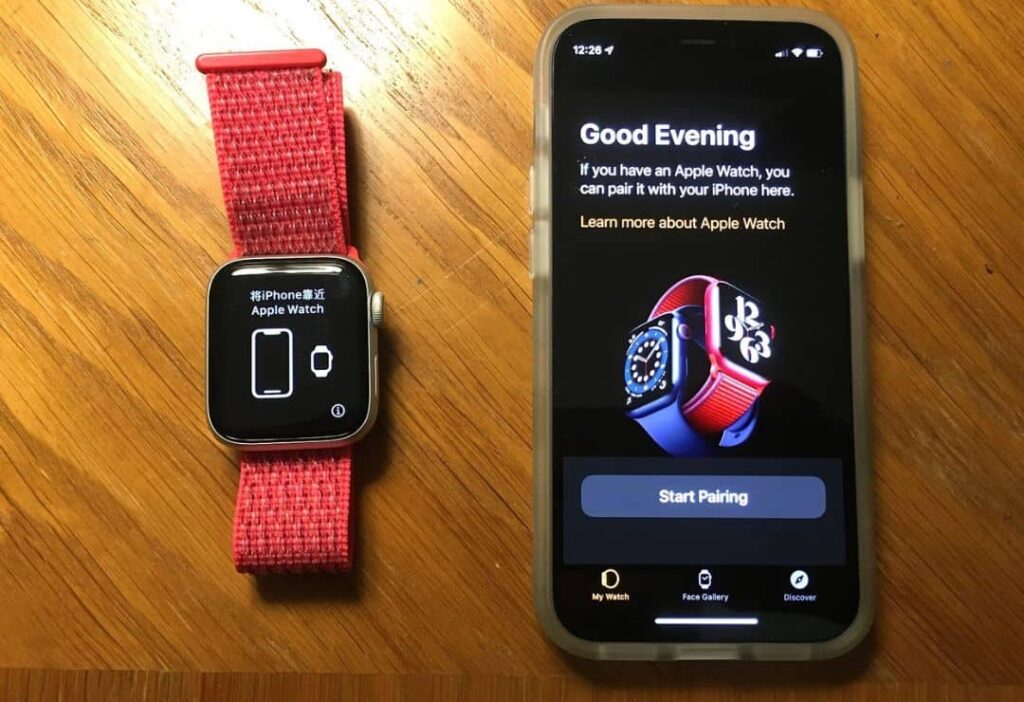
Unpairing separates your Apple Watch from your iPhone. The watch stops sharing data with the phone.
It makes a backup of your watch data on the iPhone. Then it erases all content on the watch. This is like a factory reset Apple Watch.
Unpairing also removes the watch from your iCloud account. It turns off Activation Lock.
Activation Lock is a safety tool. It stops others from using your watch if it is lost or stolen.
Things to Do Before You Unpair Apple Watch
Prepare first. This keeps things safe.
- Keep your Apple Watch and iPhone close together.
- Put the watch on its charger.
- Make sure the watch has at least 50% battery.
- Know your Apple ID and password. You need it to turn off Activation Lock.
- The backup happens automatically during unpairing.
If your watch has cellular, think if you want to keep the plan.
If you have cards in Apple Pay on the watch, they will be removed.
How to Unpair Apple Watch Using iPhone (Step-by-Step)
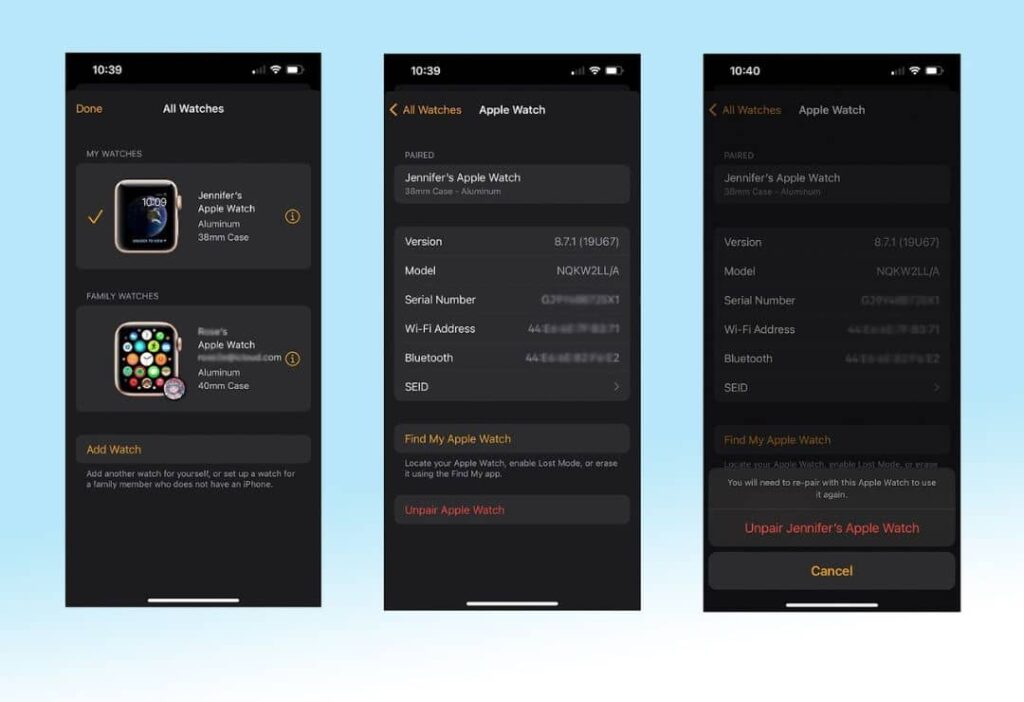
This is the best way to unpair Apple Watch from iPhone. It is safe and easy.
Follow these steps one by one:
- Open the Apple Watch app on your iPhone.
- Tap the My Watch tab at the bottom.
- Tap All Watches at the top.
- Tap the “i” button next to your watch name.
- Tap Unpair Apple Watch.
- Tap again to confirm.
- If asked, enter your Apple ID password.
- For cellular watches, choose to keep or remove the plan.
The iPhone will back up your watch. Then it erases the watch. When done, the watch shows the hello screen.
This removes Apple Watch from iCloud too.
How to Unpair Apple Watch Without iPhone
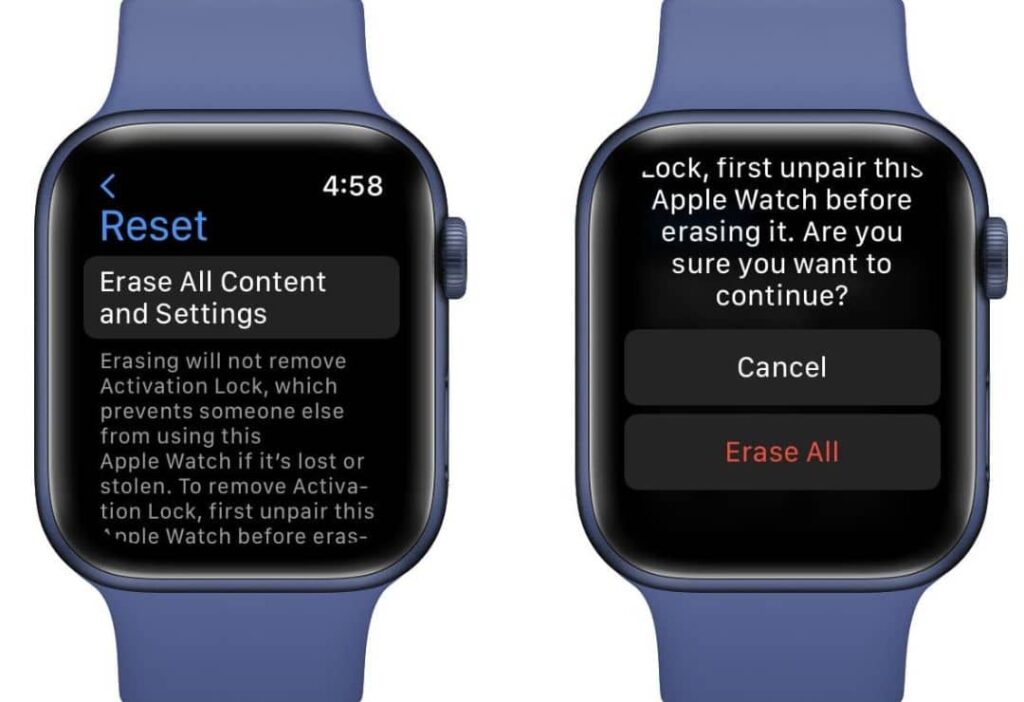
Sometimes you do not have your iPhone. You can erase the watch directly. This is like a reset Apple Watch.
But it does NOT remove Activation Lock. You need your Apple ID later to set it up.
Steps:
- On the watch, open Settings (gear icon).
- Tap General.
- Scroll down and tap Reset.
- Tap Erase All Content and Settings.
- Enter your passcode if you have one.
- Confirm.
- For cellular, choose keep or remove plan.
The watch erases and restarts.
Use this if Apple Watch not connecting to iPhone badly.
If you forgot passcode:
- Put watch on charger.
- Hold side button until sliders show.
- Hold Digital Crown to erase.
How to Remove Apple Watch from iCloud
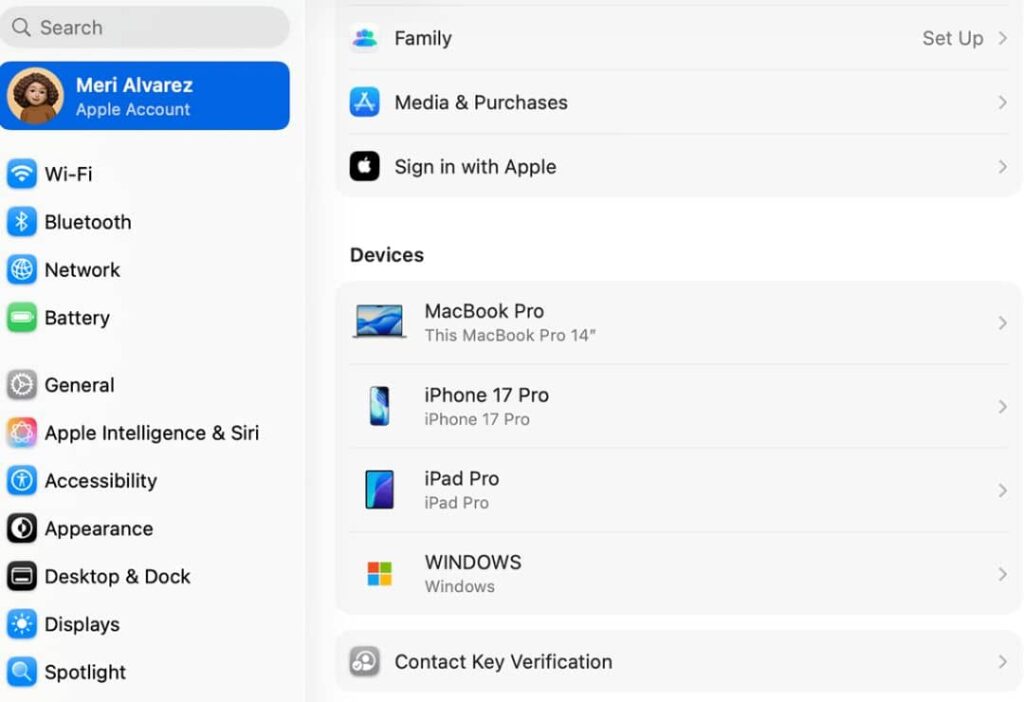
This is very important for Apple Watch before selling.
Unpairing with iPhone usually does this automatically.
But check it yourself:
- Go to iCloud.com on any computer or phone.
- Sign in with your Apple ID.
- Click Find My.
- Click All Devices at the top.
- Select your Apple Watch.
- Click Remove This Device or Erase.
This fully removes Apple Watch from iCloud.
If Activation Lock is still on, the new owner cannot use the watch. They will see a lock screen asking for your Apple ID.
Common Problems While Unpairing Apple Watch and Easy Fixes
Sometimes things go wrong. Here are common issues and fixes.
- Apple Watch not connecting to iPhone: Restart both devices. Make sure Bluetooth is on. Keep them close.
- Process gets stuck: Keep watch on charger. Try again.
- Forgot Apple ID password: Go to iforgot.apple.com to reset it.
- Watch stuck on pairing screen: Force restart watch. Hold side button and Digital Crown for 10 seconds.
- No backup: Next time, keep watch paired often.
If nothing works, contact Apple Support.
What Happens After You Unpair Apple Watch?
After unpairing:
- The watch is erased. It shows the hello setup screen.
- All your data is gone from the watch.
- But a backup is on your iPhone.
- You can set up the watch again or with a new iPhone.
- Activation Lock is off (if you used iPhone method).
The watch is ready for a new owner.
Tips Before Selling or Giving Away Apple Watch
Follow these for safety:
- Always unpair with iPhone if you can.
- Remove from iCloud.
- Clean the watch and bands.
- Include the charger and box if you have them.
- Tell the buyer it is ready to set up.
- Do not sell if Activation Lock is on.
This makes everyone happy.
Insert image below this section
FAQs About How to Unpair Apple Watch
What is the difference between unpair and reset Apple Watch?
Unpair uses iPhone. It makes backup and removes Activation Lock. Reset on watch erases but keeps Activation Lock.
Can I unpair Apple Watch without password?
No. You need Apple ID password for Activation Lock.
Will unpairing delete my data forever?
No. Backup saves it on iPhone. You can restore later.
How long does it take to unpair Apple Watch?
About 5 to 15 minutes.
What if Apple Watch not connecting to iPhone for unpair?
Erase on watch first. Then remove from iCloud.
Conclusion
Now you know how to unpair Apple Watch easily. Use the iPhone method for best results. It is safe before selling or resetting.
Remember to backup and remove from iCloud. This works for all models like Series 11, SE 3, and Ultra 3.
Follow these simple steps. Your Apple Watch will be ready for new use. Stay safe and enjoy your devices!