Have you heard about the latest GA4 update news? Google Analytics 4, or GA4, is Google’s tool for tracking website and app activity. It helps people see how users interact with their sites. The recent GA4 updates bring new features that make it easier to understand data.
Why do these GA4 updates matter? They help businesses make better decisions. With better tracking and reports, you can improve your website and marketing. In this article, we’ll explain the ga4 update news in simple words.
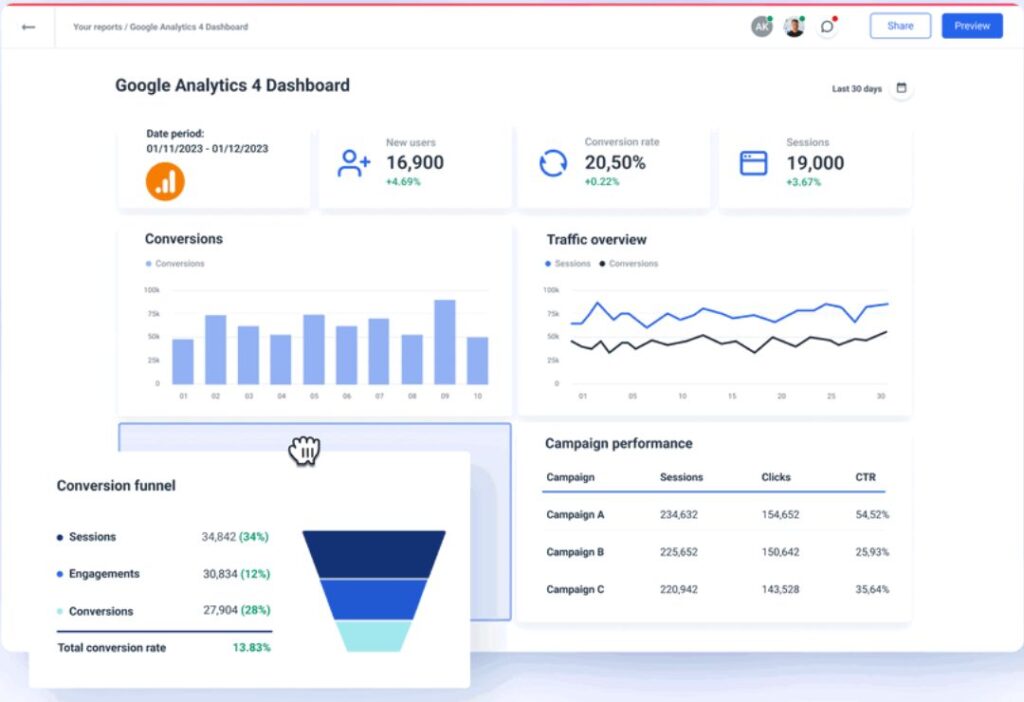
What Is GA4? (Simple Explanation)
GA4 stands for Google Analytics 4. It’s a free tool from Google that tracks what people do on your website or app. Unlike older versions, GA4 focuses on events, like clicks or page views.
What does that mean? An event is any action a user takes. GA4 collects these to show patterns. It’s great for beginners because it uses AI to give insights.
Why switch to GA4? It handles privacy better and works across devices, like phones and computers. If you’re new, start by setting it up on your site.
Latest GA4 Update News: What’s New?
The ga4 update news from late 2025 to January 2026 is exciting. Google added tools to make analytics smarter and easier.
One big change is Analytics Advisor. This is an AI helper in GA4. It answers questions and analyzes data for you. You can find it in the top bar.
Another update: New audience templates. These include High-Value Purchasers and Disengaged Purchasers. They help target users based on buying habits.
GA4 now benchmarks 20 new metrics, like New Users and Total Revenue. This lets you compare your site to others.
You can import data from ads like Meta, TikTok, Snap, and Reddit. This shows cost and clicks in one place.
GTM added built-in variables: Client ID, Session ID, and Session Number. These help with tracking.
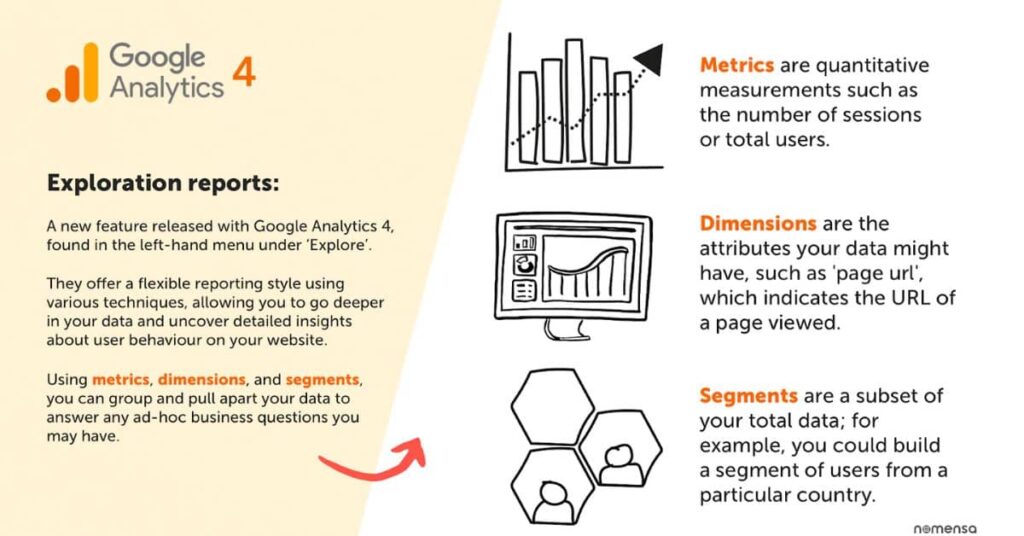
New GA4 Metrics Explained in Easy Words
Metrics are numbers that show how your site performs. The latest GA4 metrics explained here are simple.
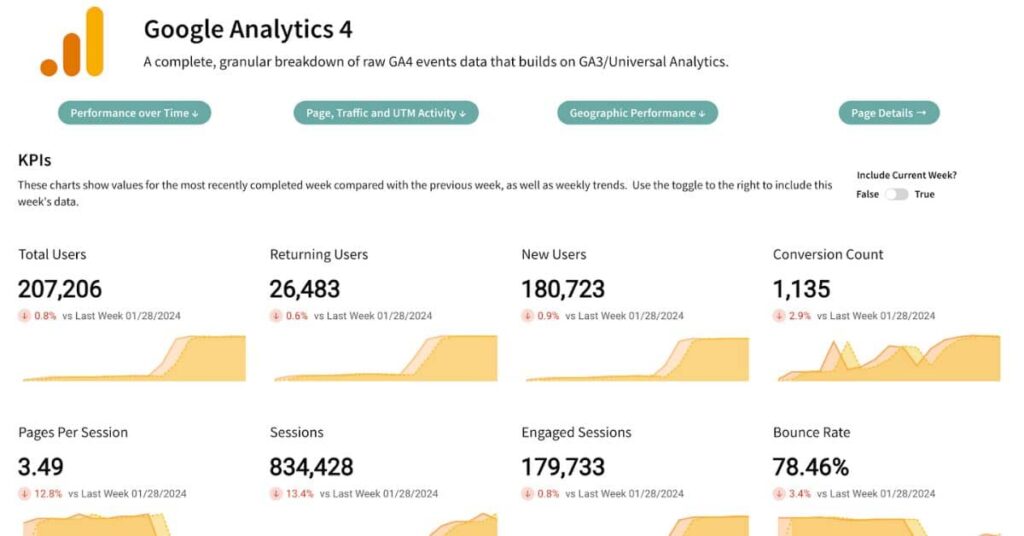
New Users: Counts people visiting for the first time. Why? It shows if your marketing attracts fresh visitors.
Total Revenue: Adds up money from sales. Use it to track earnings.
Other new ones include Active Users and Sessions. Active Users are people who engage, like scrolling or clicking.
How to use them? In reports, these metrics give clear pictures. For example, if New Users drop, check your ads.
Benchmarking helps too. It compares your metrics to similar sites. If your Total Revenue is low, improve your shop.
These GA4 new features make data easy to understand.
GA4 Reports Update: What Has Improved?
Reports show your data in charts and tables. The GA4 reports update brings better tools.
Generated Insights use AI to explain trends. For example, it might say, “Traffic up 20% from social media.”
Exploration reports let you dig deep. Create custom paths to see user journeys.
The interface is smoother now. Find reports faster with fewer clicks.
Organic traffic insights from Search Console are enhanced. See how searches lead to visits.
What’s the why? These improvements save time and give smarter insights.
How to start? Go to the Reports tab and explore.
How GA4 Updates Impact Website Tracking and SEO
Website tracking means watching user actions. GA4 updates make it more accurate.
With better attribution, see which ads or pages lead to sales. This helps SEO by showing what content works.
SEO is making your site rank higher on Google. GA4 shows search traffic and user behavior.
For example, if users bounce fast, fix your pages.
The updates impact privacy too. GA4 handles data without cookies better.
Overall, these GA4 improvements help optimize your site for better rankings.
Benefits of the Latest GA4 Updates
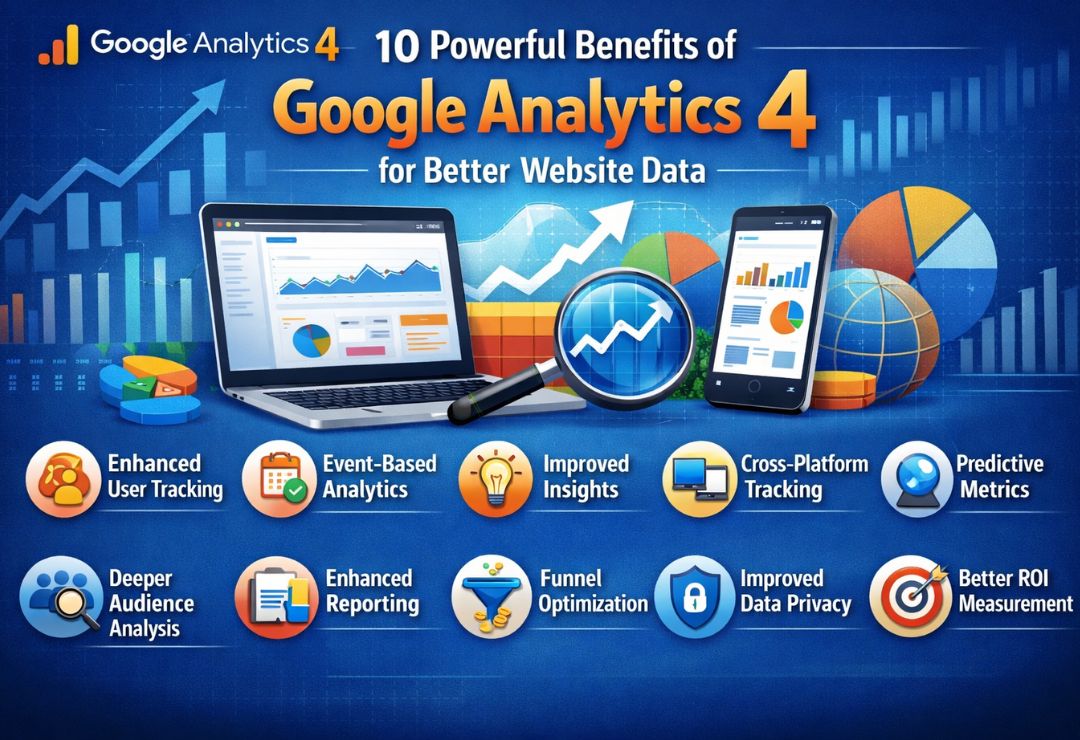
The latest GA4 updates have many benefits.
- Better tracking: Events capture more actions without extra code.
- Easier reports: AI insights explain data simply.
- Smarter insights: Benchmarking shows where you stand.
For businesses, this means faster decisions. See what’s working and fix issues.
Beginners love the simple setup. No need for tech skills.
In short, GA4 makes analytics fun and useful.
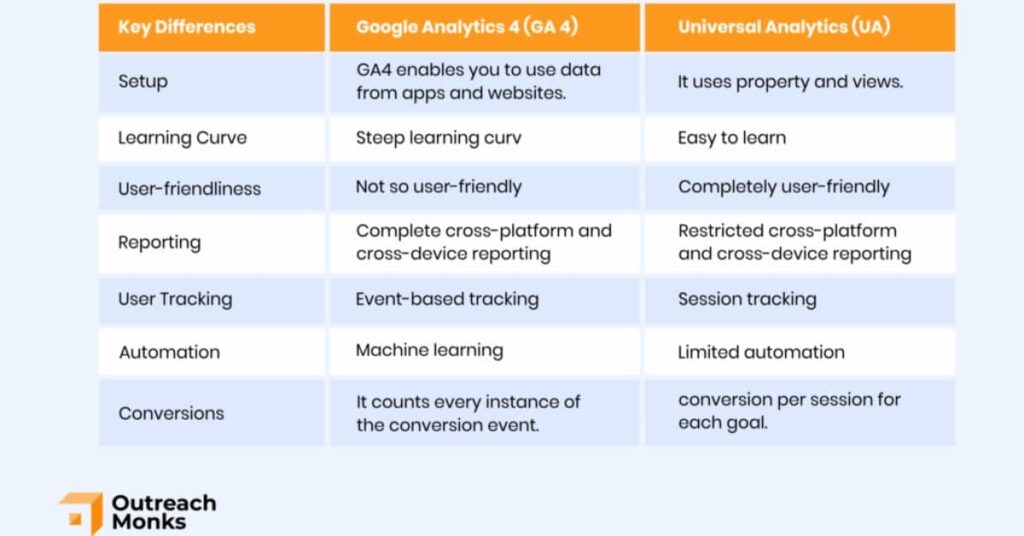
GA4 vs Universal Analytics: What’s Different Now?
Universal Analytics (UA) is the old version. GA4 is newer and better.
UA used sessions and pageviews. GA4 uses events for everything.
What’s different? GA4 tracks across apps and web. UA didn’t.
No bounce rate in GA4; it’s engagement rate instead.
With updates, GA4 has more AI. UA stopped in 2023.
If you used UA, migrate data to GA4 for comparisons.
GA4 is future-proof with privacy focus.
What You Should Do After the GA4 Update (Step-by-Step)
Ready for the ga4 update news? Follow these steps.
- Check your setup: Go to Admin and verify properties.
- Update tags: Use GTM for new variables.
- Import ad data: Link Meta or TikTok for full views.
- Explore new reports: Try Analytics Advisor.
- Set audiences: Use templates for marketing.
Do this to get the most from GA4 updates.
Common GA4 Mistakes to Avoid After Updates
Don’t ignore updates. Many forget to check new features.
Mistake: Not linking ads. You miss full data.
Another: Overlooking privacy settings. Always enable consent mode.
Avoid complex custom events at first. Start simple.
Test reports before relying on them.
These tips keep your tracking smooth.
Future of GA4 and Analytics Tracking
What’s next for GA4? More AI and integrations.
Expect deeper AI insights and better ad tools.
Analytics will focus on privacy and cross-device tracking.
Stay updated with ga4 update news to keep ahead.
The future is smart, easy analytics for all.
FAQs About GA4 Update News
What is the latest GA4 update news?
The latest includes Analytics Advisor and new benchmarking metrics.
Why are GA4 updates important?
They make tracking better and give smarter insights for your site.
How do new GA4 metrics help?
They let you compare things like revenue to other sites easily.
What’s new in GA4 reports?
AI-generated insights and easier interfaces.
How to start with GA4 after updates?
Set up your property and explore new tools step by step.
Conclusion
In summary, the ga4 update news brings exciting changes to Google Analytics 4. From new metrics to better reports, it’s easier than ever to understand your data. Use these GA4 updates to improve your website and marketing. Stay tuned for more GA4 improvements.